
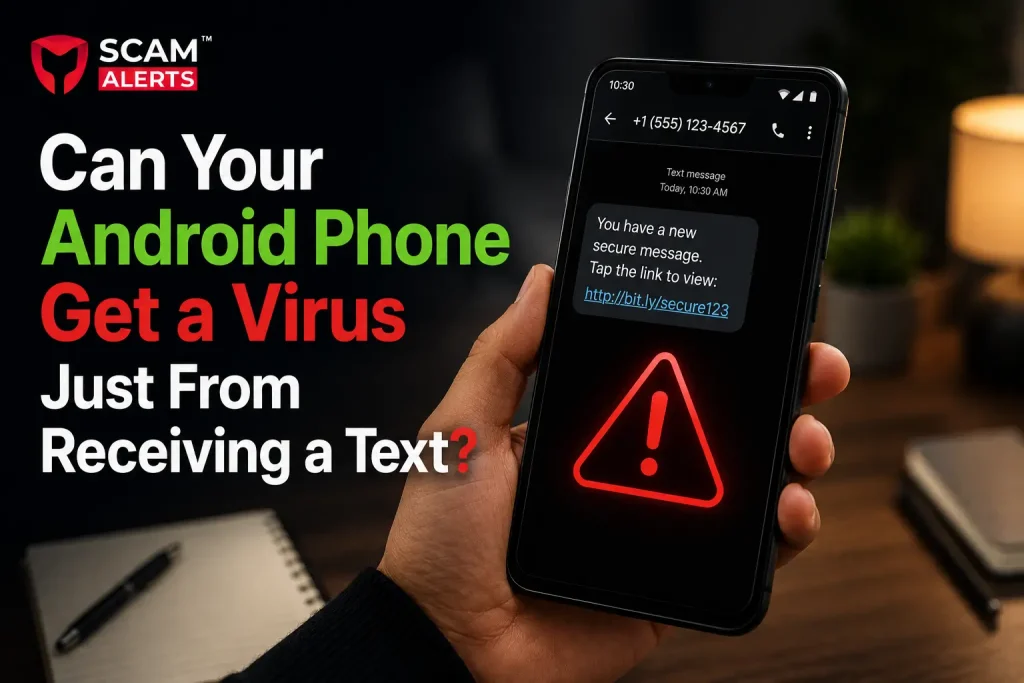
Your phone buzzes. A text pops up from a number you don’t recognize. Maybe it says your package is delayed, or your bank needs you to verify something. Before you even open it, a small worry creeps in: could this text alone infect my phone?
It’s a fair question. Phone scams have gotten smarter, and the line between a harmless message and a real threat feels blurrier every year. So let’s clear things up, in plain language, with no scare tactics and no tech jargon.
The Short Answer: Rarely, But Not Impossible
Simply receiving a text message on a modern Android phone will not infect it with a virus in most cases. Just seeing a message land in your inbox does not run any code on your device.
The real risk almost always comes from what happens next: clicking a link, downloading a file, or replying with personal information. The text itself is usually just the bait. You’re the one who has to bite for anything bad to happen.
That said, “rarely” is not the same as “never.” Security researchers have found rare cases where a message could exploit a flaw in a phone’s software without any tap at all. These are called zero-click attacks, and we’ll explain them in a bit. They’re serious, but they’re also uncommon and usually patched quickly once discovered.
How Text-Based Threats Actually Work
To understand the real risk, it helps to know the two ways a text message can lead to trouble.
1. Phishing Links (Smishing)
This is by far the most common danger. Scammers send a text with a link, hoping curiosity or panic makes you click. This tactic even has its own name: smishing, a mix of “SMS” and “phishing.”
A typical example: You get a text saying, “Your package could not be delivered. Update your address here: [link].” The link leads to a fake website that looks like a real delivery company. It might ask for your name, address, or even payment details to “reschedule” the delivery. Nothing was installed on your phone, but your personal information is now in the wrong hands.
Another common version targets bank customers: “Unusual activity detected on your account. Verify now: [link].” The fake page asks for your login details, and just like that, a scammer has access to your real account.
2. Malicious App Downloads
Some texts try to trick you into downloading a file or an app outside of the Google Play Store. This is where an actual virus or malware can enter the picture.
A typical example:
A message claims you’ve won a prize and asks you to download an app to claim it. The file, often an APK file, installs software that can steal your data, track your activity, or even lock you out of your own phone until you pay a ransom.
This only works if you allow the installation. Android normally blocks apps from unknown sources unless you manually change that setting, which is one of the reasons this method needs your cooperation to succeed.
3. Zero-Click Exploits (The Rare Exception)
This is the one scenario where a phone could theoretically be compromised without you tapping anything. In the past, security researchers found vulnerabilities in how phones process certain types of media files or messages, allowing an attacker to run harmful code just by sending a specially crafted message.
These attacks are expensive to develop, usually reserved for high-value targets like journalists, activists, or government officials, and get patched fast once discovered. For the average person texting friends and family, this risk is extremely low. Still, it’s one more reason to keep your phone’s software updated, which we’ll cover shortly.
Real-World Scenarios to Watch For
Here are a few situations that trip people up, even smart, careful people.
- The “delivery problem” text. You’re expecting a package, so the timing feels believable. The link looks almost like the real company’s website, just with a slightly different spelling.
- The “urgent” bank alert. Fear makes people act fast without thinking. A message claiming suspicious activity on your account can push you to click before you pause to check if it’s real.
- The fake prize or gift card. Everyone likes free things. A text saying you’ve won a $500 gift card feels exciting, but it usually leads to a form asking for personal details or a shady app download.
- The “it’s me, I changed my number” scam. Someone pretends to be a friend or family member with a new number, chats casually to build trust, then eventually asks for money or personal information.
Notice a pattern? Each of these relies on emotion, urgency, or curiosity to get you to act quickly. That’s the real weapon, not the text message itself.
How to Protect Your Android Phone From Text-Based Threats
You don’t need to be a tech expert to stay safe. A few simple habits go a long way.
Don’t Click Links From Unknown Senders
If you don’t recognize the number or weren’t expecting the message, treat any link with suspicion or check it first using a scam checker tool. When in doubt, go directly to the company’s official app or website instead of clicking through the text.
Never Install Apps From Outside the Play Store
Google Play scans apps for malware before they’re listed. Downloading an APK file from a random text message skips all of that protection.
Keep Your Phone’s Software Updated
Security patches fix the exact kinds of flaws that make zero-click attacks possible. Turn on automatic updates so you’re always covered without having to think about it.
Use Built-In Spam Protection
Most Android phones have spam filtering built into the Messages app. Make sure it’s turned on, and report suspicious texts when you get them. This helps flag similar messages for other users too.
Verify Before You Trust
If a text claims to be from your bank, delivery service, or a government agency, call the official number yourself instead of using any contact info in the message. A quick phone call can save you a lot of trouble.
Be Skeptical of Urgency
Scammers want you to act before you think. Any message pushing you to act “immediately” or threatening a deadline deserves a second look, not a fast tap.
Consider a Mobile Security App
For extra peace of mind, a reputable mobile security app can add another layer of protection by scanning for malicious links and suspicious downloads.
Conclusion:
Here’s the honest takeaway: your Android phone almost certainly won’t get a virus from simply receiving a text. The real danger lies in what you do after reading it, whether that’s clicking a link, downloading a file, or handing over personal information without checking first.
Rare exceptions exist, which is exactly why keeping your phone updated matters so much. But for most people, the best defense isn’t fancy security software. It’s a habit of pausing for a moment before clicking, downloading, or replying to anything that feels off.
A little healthy skepticism goes a long way. Your phone is only as safe as the choices you make with it.